Ship It While They Sleep: The Solo Freelancer's Guide to Low-Stakes Night Deploys
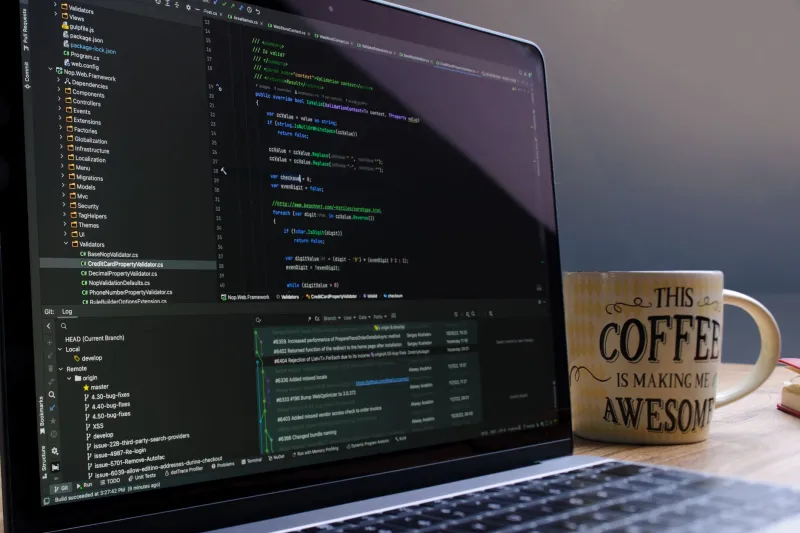
There's a reason seasoned solo freelancers push their riskiest releases at 2 AM instead of 2 PM. It's not bravado. It's math. When your client's customers are asleep, a botched deploy touches a fraction of the traffic it would during lunch hour in Chicago or Dallas. You've bought yourself something precious: time to fix mistakes before anyone's around to notice them.
But a night deploy only stays low-stakes if you've done the homework. Shipping at midnight with no rollback plan isn't strategy — it's gambling with your reputation while the rest of the country is dreaming.
Why the Clock Is Actually on Your Side
For US-based freelancers serving American clients, the overnight window is a natural maintenance window. E-commerce traffic bottoms out around 1–4 AM Eastern. SaaS dashboards sit idle. Even coast-to-coast products see their quietest stretch when the East Coast has gone to bed and the West Coast is winding down.
That quiet matters for a second reason: fewer variables. No support tickets flooding in. No stakeholder pinging you on Slack asking "is it live yet?" You get to think clearly, watch your dashboards, and iterate without an audience.
The catch — and it's a real one — is that nobody's awake to call. No teammates, no on-call rotation, no client standing by. Which means your safety net has to be built before you ever hit deploy.
Your Rollback Plan Can't Be "Figure It Out"
When you're the only human in the loop, your rollback strategy needs to be mechanical, not improvisational. Before you touch anything, answer three questions:
- How do I revert in under five minutes? If you're on a platform like Vercel, Netlify, or Heroku, that might be a one-click rollback to the previous release. If you're on a VPS, it means your previous build is still tagged, containerized, or sitting in a release directory you can symlink back to.
- How do I revert the database? Code rolls back easy. Data doesn't. If the migration is destructive, take a snapshot first — pg_dump, mysqldump, whatever your stack calls it — and verify the backup file actually exists before proceeding.
- What's my blast radius? Feature flags let you deploy dark and flip the switch only when you've confirmed everything works. For solo operators, flags are the closest thing to a co-pilot you'll get.
Write the answers down. Not in your head — in a doc, next to the deploy steps. At 2 AM, tired-brain-you does not trust future-you's memory.
Monitoring: The Teammate Who Never Sleeps
Since no one's awake to tell you the site's down, your monitoring stack has to be loud enough to wake you. At minimum:
- Uptime checks against your key URLs (Pingdom, UptimeRobot, Better Stack — pick one) with SMS or push alerts, not just email.
- Error tracking like Sentry, configured with alert thresholds so a spike in exceptions pages you instead of waiting for morning triage.
- A smoke test you run yourself. A simple script or checklist that hits login, checkout, or whatever flow matters most on the release.
The overnight deploy rule of thumb: if you can't verify it within 20 minutes of shipping, don't consider it shipped. Stay up, watch the graphs flatline into normal, then go to bed. A deploy you sleep through is a deploy you can't respond to.
The Midnight Release Checklist
Here's the field version. Print it, paste it into your deploy doc, use it on your next after-hours push:
Before you deploy:
- Confirm current traffic is genuinely low (check analytics, not vibes)
- Snapshot the database and verify the backup file
- Tag or archive the current known-good release
- Confirm rollback steps are written down and tested
- Disable anything destructive behind a feature flag
- Silence non-critical notifications from your own machine so you don't miss real alerts
During:
- Deploy to staging first, even at night — especially at night
- Run your smoke test on staging
- Deploy to production
- Run the smoke test again, on production
After:
- Watch error tracking and uptime for 20–30 minutes
- Check key business metrics (conversions, signups, whatever pays the bills)
- Post a short async update for the client so they wake up to good news, not questions
- Only then, close the laptop
That last client update is easy to skip and impossible to overvalue. A two-line note — "shipped v2.3 at 2:10 AM ET, all checks green, monitoring through 3 AM" — builds more trust than a week of cheerful daytime emails.
Know When Not to Do It
Night deploys have limits. If a change touches payments, auth, or anything with legal or compliance implications, do it during business hours when your client's team can be involved. If you're running on fumes after a brutal week, reschedule. A tired deploy is a slow-motion incident. The overnight window is an advantage, not an obligation — and the best night operators know that sometimes the smartest 2 AM move is sleep.